Same moment. Less repetition.
Find exact duplicates and review matching copies. Pro also helps you compare similar pictures and pick a favorite.
 siftly.Get Siftly ↗
Thousands of photos. Oversized videos. Way too many copies. Siftly turns the overwhelm into a satisfying swipe. Keep the good stuff. Make room for what’s next.
 mountain_morning.jpg Photo · 2.4 MB
That camera roll you’ve been avoiding? You’ve got this. Review photos, videos and GIFs, keep your favorites, and send the extras to Trash. Your next decision is just a swipe away.
Move unwanted files to Trash with a swipe left.
Swipe right to keep favorites close.
Restore sorted files before permanent deletion.
 The weekend escape.
Try the buttons or swipe the photo. This is just a demo.
From the extra copies to the oversized clips, find a better way to look after your library.
Find exact duplicates and review matching copies. Pro also helps you compare similar pictures and pick a favorite.
Compress photos and videos. A compressed copy is saved first, with the original moved to Trash for recovery.
Keep favorites together and revisit sorted files. Pro unlocks custom folders for your own way of organizing.
Get a clearer view of your storage, explore smart categories, and fine-tune your compression.
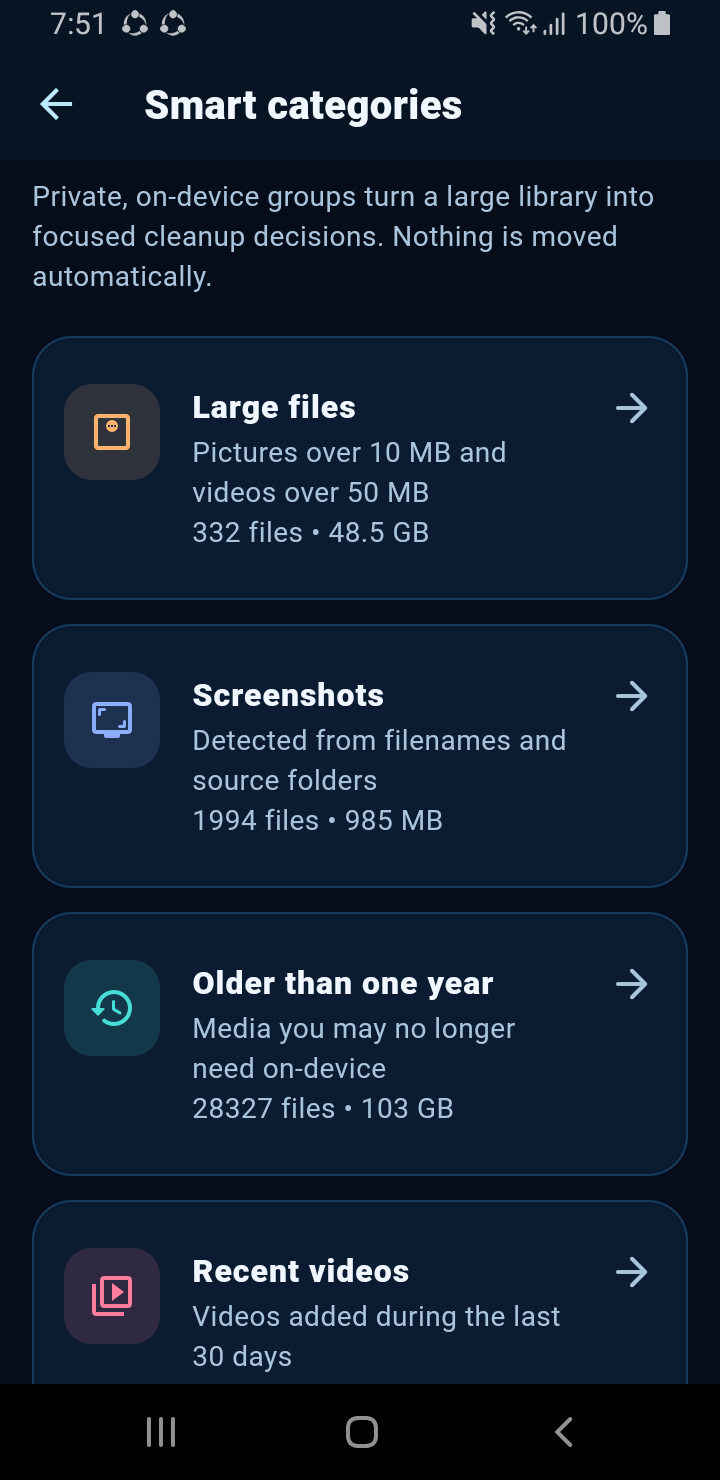
Explore categories to decide where to begin.
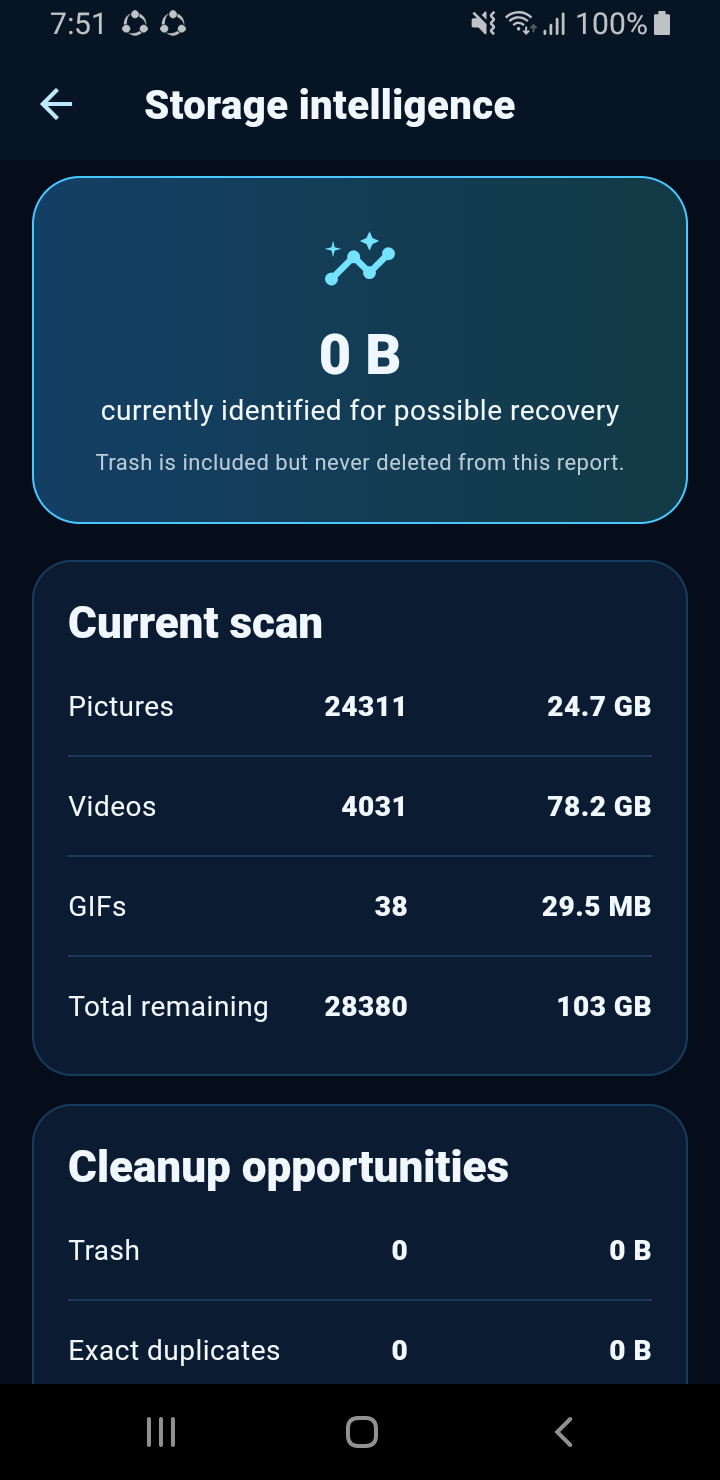
Understand what’s taking up room.
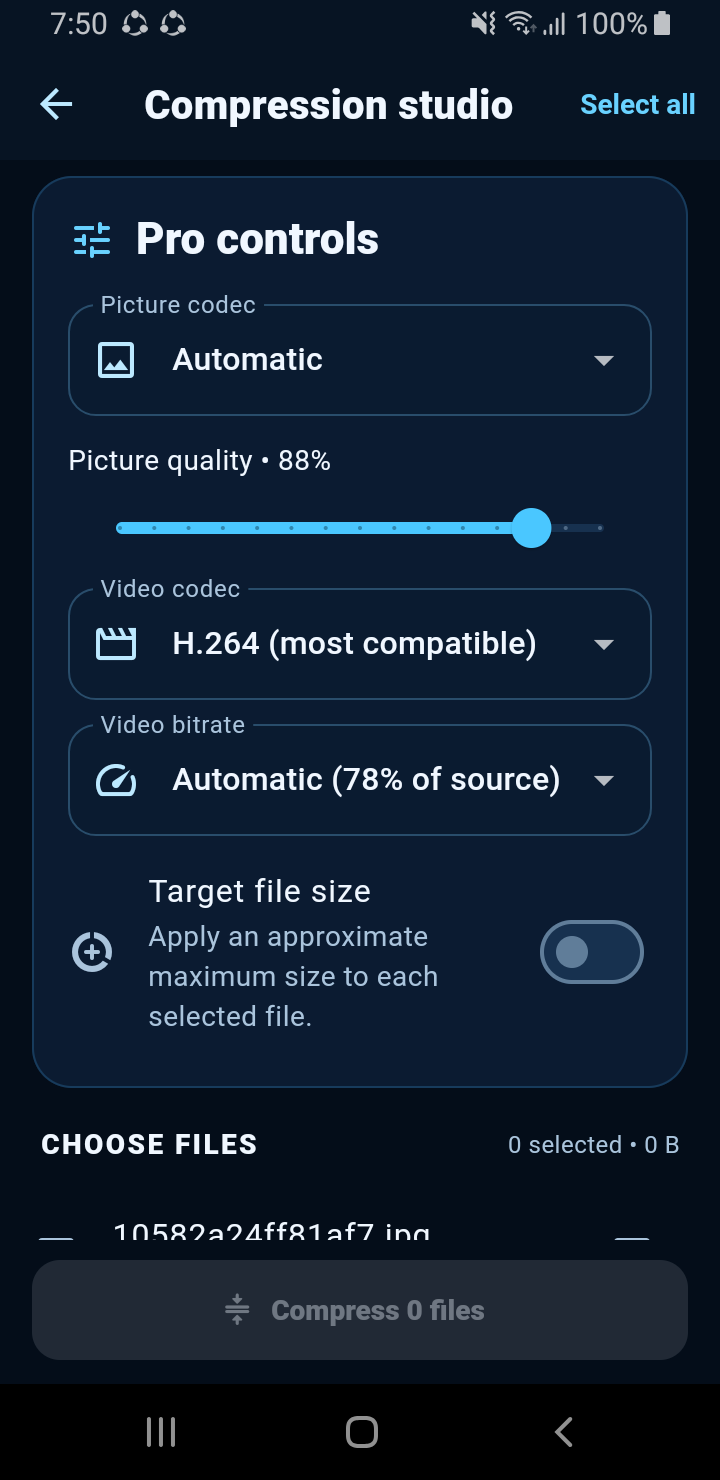
Explore advanced compression settings.
App screen captures. Features and appearance may vary by version and platform.
Siftly processes your photos and videos locally. Review before clearing, undo recent moves, and restore from Trash before you permanently delete. Advertising and subscription services are described in our privacy policy.
Read our privacy policy ↗You decide what to move to Trash. Permanent deletion requires a separate confirmation. Undo and Restore help you recover files before permanent deletion.
Free includes manual swipe review, photos, videos and GIFs, Favorites, Trash, Undo, Restore, basic local compression and duplicate previews. Pro adds tools such as similar-picture detection, unlimited duplicate cleanup, custom folders and advanced compression. Prices and subscription terms are shown in the app.
Siftly does not upload your photos or videos. Media processing happens on your device. The app uses advertising, analytics and subscription services; see the privacy policy for their data practices.
Use the download page to choose your platform. Store links will be added here when confirmed. Availability may vary by platform and region.
Less clutter. More possibilities. A little more you.